
Google Business Profile Optimization Checklist
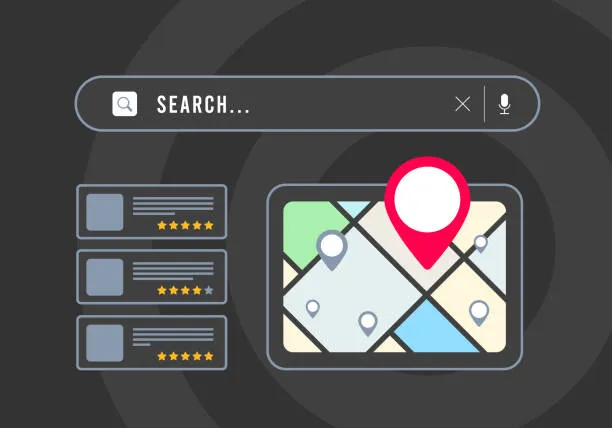
When someone nearby searches for a business like yours, Google shows local results from Maps and Search. Those results are shaped in part by a free Business Profile, and it is one of the few local ranking tools you fully control. Google's own guidance on local ranking is direct: you can use your Business Profile to improve your business's local ranking. The work is not complicated, but it is sequential, and skipping steps leaves visible gaps.
This checklist follows the same order we use when auditing a profile for a local business, from claiming the listing to keeping it fresh month after month. Work through it once, then set a repeatable rhythm.
Why a Business Profile Does Heavy Lifting for Local Search
Google tries to show customers the kind of nearby business they would like to visit. A complete profile gives Google more to work with and gives searchers more reasons to pick you over the next listing in the map pack. Categories, photos, reviews, posts, and an accurate description all feed the same page.
Local listing platforms treat Google Business Profiles as a major ranking factor, which is why multi-location businesses invest so much in keeping them consistent. The payoff is straightforward. A profile that is accurate and active can attract new customers, while a neglected one quietly loses clicks to competitors who showed up with better photos and more recent reviews.
Step 1: Claim and Verify Your Business
Published checklists almost always start with the same first move: claim your Google listing and verify it. Until verification is complete, you cannot fully manage the profile, and edits may not stick. Google's sign-up flow exists for exactly this purpose, letting you take control of how your business appears on Search and Maps.
If a listing already exists for your business, claim it instead of creating a duplicate. Duplicate listings split reviews and confuse searchers. If you have moved, changed names, or rebranded, resolve the old listing as part of this step.
Step 2: Choose Accurate Categories
Categories tell Google what your business is. Pick the most specific primary category that fits, because it influences which searches your profile can appear for. Add secondary categories only where they genuinely describe services you offer. A wellness practice and a general contractor will not share the same category set, and neither should borrow categories that belong to another trade.
If you are unsure which category fits, look at how similar businesses in your area are categorized, then review the full category options before deciding. Accuracy beats ambition here. A category you cannot back up with real services will attract the wrong searchers.

Step 3: Keep Business Information Up to Date
Google's local ranking guidance lists keeping your business information up to date as a core task. That covers your name, address, phone number, website, and hours. Mismatched details between your profile and your website cost you trust with both searchers and Google.
Set a reminder to review the profile after any change: a new phone number, a seasonal schedule, a holiday closure, or a new service line. Readers should confirm current requirements and editing options directly in the Google Business Profile help center, since the interface changes over time.
Step 4: Write a Keyword-Optimized Business Description
Your description is where you explain what you do and who you serve. Optimize it around the right keywords, meaning the phrases a customer would actually type, rather than the internal language your industry uses. One recurring warning from local SEO practitioners is to keep keyword stuffing out of your business name. Your name field is for your real name; the description is where useful context belongs.
Write two or three short paragraphs. Lead with what you do, name the services you are known for, and mention the places you serve if that matters to your customers. Keep it readable. A description stuffed with repeated phrases reads like spam to a human, and humans are the ones deciding whether to call.
Step 5: Add Photos and Videos
Photos and videos do a lot of the persuading. Google recommends personalizing your profile with photos, managing your reviews, and sharing what makes your business unique. Storefront shots, team photos, finished work, and short clips all give a searcher a reason to trust a listing.
Freshness matters as much as volume. One widely repeated tip among local SEO practitioners is to post new photos weekly rather than uploading a batch once and leaving it. You do not need a photographer. A phone photo of a completed job or a team member at work keeps the profile active and gives repeat visitors something new to see.
Step 6: Generate and Respond to Reviews
Reviews sit near the center of local visibility and conversion. Generating reviews and responding to them appear on nearly every published optimization checklist, and Google's local ranking tips specifically include responding to reviews.
Build a simple request habit: ask after a good experience, while the interaction is fresh, and make leaving feedback easy with a direct link. Then respond to every review. Thank the people who left positive feedback, and answer criticism calmly and specifically. A measured reply to a negative review often does more for your reputation than another five-star rating, because future customers are reading how you handle problems.

Step 7: Publish Google Posts
Posts let you share updates, offers, and news directly on your profile. They appear in your listing and give searchers a current reason to engage rather than a static page that looks abandoned. A steady cadence, whether weekly or monthly, works better than a burst of posts followed by months of silence.
Use posts for things customers actually care about: a seasonal service, an event, a new offering, or an answer to a question you get asked often.
Step 8: Track Results and Refine
Optimization is a loop, not a one-time project. Local listing platforms pair optimization with analytics because the data tells you what to change next. Watch how people find your profile, which actions they take, and which services get the most attention. Then adjust your categories, description, and photo strategy based on what you see rather than what you assume.
If something is not performing, change one variable at a time so you can tell what made the difference.
A Simple Monthly Rhythm
Once the setup work is done, the profile only keeps working if someone tends it. This schedule keeps the maintenance small and consistent.
Task | Frequency | Why it matters |
|---|---|---|
Review name, address, phone, hours | Monthly, plus after any change | Up-to-date info is a documented local ranking tip |
Add new photos or videos | Weekly where possible | Keeps the profile active and personalized |
Request reviews | After each completed job | Reviews drive both visibility and trust |
Respond to reviews | Within a few days | Google lists responding to reviews as a ranking tip |
Publish a Google Post | Monthly or more often | Gives searchers a current reason to engage |
Check profile insights | Monthly | Shows what to adjust next |

Common Mistakes That Undo Good Work
Most profile problems trace back to a short list of habits. Fixing these is often faster than adding anything new.
Keyword stuffing your business name. This is the most repeated warning in local SEO discussions.
Setting the profile up once and never returning. Photos, posts, and reviews all reward consistency.
Ignoring reviews, especially negative ones that future customers will read.
Choosing vague categories that do not match your actual services.
Letting profile details drift out of sync with your website and other listings.
Working With a Local SEO Partner in Wisconsin
Lange Digital Solutions is a Wisconsin-based digital marketing agency that helps small businesses and wellness professionals grow through local SEO, website design, reputation management, and education-based marketing. The agency builds its work around a Local Authority Growth System, with an emphasis on teaching business owners how local search actually works rather than running aggressive ad campaigns. For businesses in Northeast Wisconsin and beyond, that can mean hands-on help with profile optimization, review generation, and the surrounding content that supports both.
Frequently Asked Questions
How long does it take to optimize a Google Business Profile?
The setup steps, claiming and verifying the listing, choosing categories, writing a description, and adding photos, can be finished in a few focused sessions. Verification timing depends on Google's own review process. The ongoing work of reviews, photos, and posts is what sustains results, so treat the first pass as the start of a routine rather than a finish line.
Do I need to add new photos every week?
It is not a hard requirement, but freshness helps. One widely shared tip among local SEO practitioners is posting new photos weekly, since regular uploads keep the profile active and give returning visitors something new. If weekly is unrealistic, aim for a consistent monthly batch of real photos from your business rather than stock images.
Should I put keywords in my business name?
No. Keyword stuffing in the business name is the most commonly repeated warning in local SEO advice. Your name field should match the name customers know you by. Put service keywords and location context in your description, categories, and posts instead, where they read naturally and where they actually help searchers understand what you offer.
How do I get more Google reviews?
Ask consistently and make it easy. Request a review right after a positive experience, while the interaction is fresh, and send a direct link so the person does not have to search for your listing. Then respond to every review you receive. Google's local ranking guidance includes responding to reviews, and your replies show future customers how you treat people.
Does a Google Business Profile cost anything?
The profile itself is free. Google describes it as a free Business Profile that lets you take control of how your business appears on Search and Maps. Costs enter the picture only if you hire someone to manage optimization, reviews, or content for you, or if you add paid advertising on top of your organic local presence.
If you want to discuss a plan to market your business in your local community, in a way that grows your business while building trust at the same time, connect by going to https://langedigitalsolutions.com/contact and mention the word "Visibility" in the message section of the form.
Regardless of where you are in your marketing journey, I wish you nothing but future success with your small business.
Best wishes,


